godot4-psvita
Godot Engine 4.x ported to the PlayStation Vita.
| Type | Filename | Size |
|---|---|---|
| DIR | .github | — |
| DIR | core | — |
| DIR | doc | — |
| DIR | docs | — |
| DIR | drivers | — |
| DIR | editor | — |
| DIR | examples | — |
| DIR | main | — |
| DIR | misc | — |
| DIR | modules | — |
| DIR | platform | — |
| DIR | scene | — |
| DIR | servers | — |
| DIR | tests | — |
| DIR | thirdparty | — |
| FILE | .clang-format | 7643 B |
| FILE | .clang-tidy | 1332 B |
| FILE | .clangd | 1115 B |
| FILE | .editorconfig | 354 B |
| FILE | .git-blame-ignore-revs | 3045 B |
| FILE | .gitattributes | 598 B |
| FILE | .gitignore | 6348 B |
| FILE | .mailmap | 10983 B |
| FILE | .pre-commit-config.yaml | 7436 B |
| FILE | AUTHORS.md | 10948 B |
| FILE | CHANGELOG.md | 201115 B |
| FILE | CONTRIBUTING.md | 11307 B |
| FILE | COPYRIGHT.txt | 99940 B |
| FILE | DONORS.md | 8329 B |
| FILE | gles3_builders.py | 22006 B |
| FILE | glsl_builders.py | 11896 B |
| FILE | LICENSE.txt | 1149 B |
| FILE | Logo.png | 41024 B |
| FILE | methods.py | 65515 B |
| FILE | platform_methods.py | 13666 B |
| FILE | pyproject.toml | 2313 B |
| FILE | README.godot.md | 3764 B |
| FILE | README.md | 35119 B |
| FILE | SConstruct | 53163 B |
| FILE | scu_builders.py | 16195 B |
| FILE | version.py | 159 B |
README

A custom Godot 4.8-dev7 runtime with native GXM rendering, plus a Windows editor that exports PS Vita VPKs directly.
This is not an official Godot release.
[image: Buy Me A Coffee]
Overview and Features
- [What This Project Is](#what-this-project-is) - [Windows Editor with PS Vita Export](#windows-editor-with-ps-vita-export) - [LiveArea Template Selection with Previews](#livearea-template-selection-with-previews) - [PS Vita Trophies (In Development)](#ps-vita-trophies-in-development)Engine and Architecture
- [Runtime Architecture](#runtime-architecture) - [Native GXM 2D Renderer](#native-gxm-2d-renderer) - [Experimental GXM 3D Renderer](#experimental-gxm-3d-renderer) - [Audio, Input, Memory and Data Loading](#audio-input-memory-and-data-loading)Getting Started
- [Games Running on This Engine](#games-running-on-this-engine) - [Download and Quick Start](#download-and-quick-start) - [Limitations](#limitations)Development and Resources
- [Building from Source](#building-from-source) - [Repository Structure](#repository-structure) - [Contributors](#contributors) - [Credits](#credits)
Godot 4 does not run on the PS Vita out of the box: the Vita has a 444 MHz quad-core ARM Cortex-A9, an SGX543 GPU driven through Sony's GXM API, 512 MB of RAM and no Vulkan or desktop OpenGL. This port has three parts:
| Part | What it does |
|---|---|
Runtime (platform/vita) |
Godot 4.8-dev7 compiled for ARM as a position-independent libgodot.so, with a Vita OS layer, native GXM 2D/3D renderers, audio, input and file access. |
Loader (platform/vita/loader) |
A small Vita eboot.bin that maps, relocates and starts libgodot.so, resolves its imports against the Vita SDK, shows the loading animation and manages CapUnlocker, logs and data paths. |
Windows editor (modules/vita_editor + platform/vita/editor) |
A Godot 4.8-dev7 Windows editor build in which PS Vita is a built-in export platform. It turns any compatible project into an installable VPK, with LiveArea, trophies and a separate data folder. |

The release ships Godot4Vita.exe, a portable Windows editor. PS Vita appears in Project > Export > Add… for every project, without installing an addon, Python, WSL or VitaSDK.

modules/vita_editoris a small engine module compiled only into the Windows editor. At editor startup it registers a nativeEditorPluginthat loads three scripts from thevita/folder beside the executable: the export platform (platform.gd, anEditorExportPlatformExtension), an inspector plugin (defaults_inspector.gd) and the trophy panel (trophy_panel.gd). Keeping the logic in scripts beside the exe lets the export pipeline be updated without recompiling the editor.- The same scripts also work as a classic addon (
addons/psvita) for the official 4.8-dev7 editor. When the native plugin is present, the addon detects it and does not register a second platform. - Preset validation checks the title, a 9-character Title ID, version
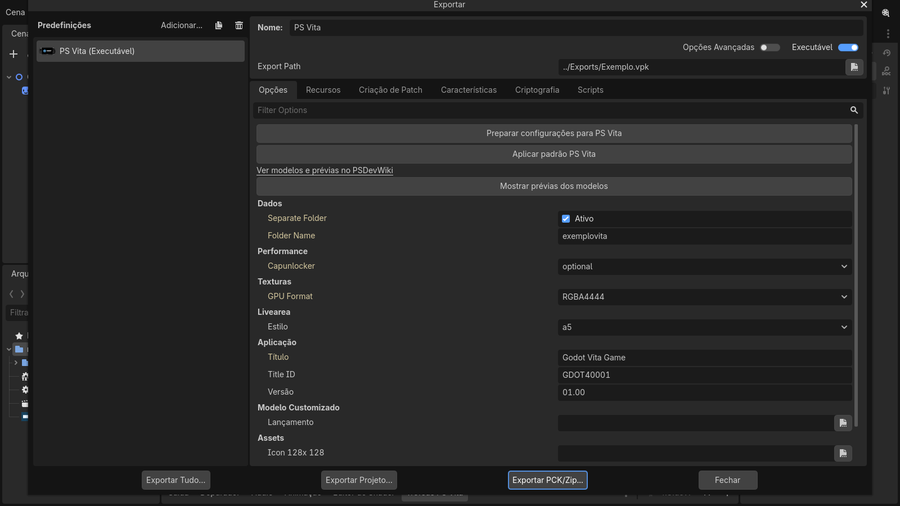
NN.NN, the Compatibility renderer, a 960 × 544 viewport, the worker-thread count, the script export mode (text scripts) and the presence of the template. Prepare settings for PS Vita writes the required Vita overrides into the project; Apply PS Vita defaults restores the default images and thea5LiveArea. - Export uses Godot's own resource exporter, so scenes are remapped and textures, fonts and audio are taken from
.godot/imported. The Vita never imports assets. The runtime template (vita/templates/vita_release.zip) contains the loader,libgodot.so, the boot animation and a manifest with SHA-256 hashes; hashes are verified before packaging, and the destination VPK is only replaced after a successful build. PARAM.SFO, the LiveArea XML and the VPK are generated in GDScript, with no external tools. Export is always Release; Export With Debug is accepted but produces a Release package.

| Option | Effect |
|---|---|
| Data > Separate Folder (default on) | The VPK contains the runtime and LiveArea; the game data goes into a folder next to it, which you copy to ux0:data/<Folder Name>/. Re-installing a large game no longer requires rebuilding a huge VPK. Turn it off to put everything inside the VPK. Earlier exports are kept with a .previous-… suffix. |
| Performance > CapUnlocker | disabled, optional (uses the fourth CPU core when the CapUnlocker plugin is installed) or required (shows instructions and exits when missing). When available, the audio mixer can run on the reserved core. |
| Textures > GPU Format | RGBA4444 (default, half the GPU memory and transfer size) or RGBA8888 (full precision for gradients and soft alpha). The conversion happens when the loader uploads each texture; project files are not changed. |
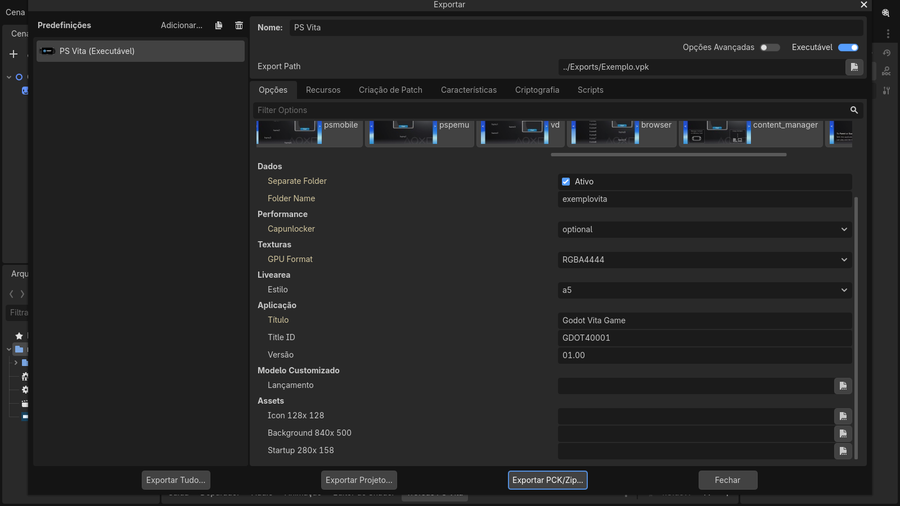
| LiveArea > Style | The template.xml layout, with visual previews (see below). |
| Application | Title, Title ID and version written to PARAM.SFO. |
| Custom Template / Assets | Optional custom runtime template and 8-bit indexed PNG images: icon 128 × 128, background 840 × 500 and startup button 280 × 158. Empty fields use the bundled Godot Vita images. |

The same editor opens and exports the ported games. These projects were adapted for the Vita runtime (960 × 544 viewport, Compatibility renderer, PS Vita preset) and open normally on the PC:
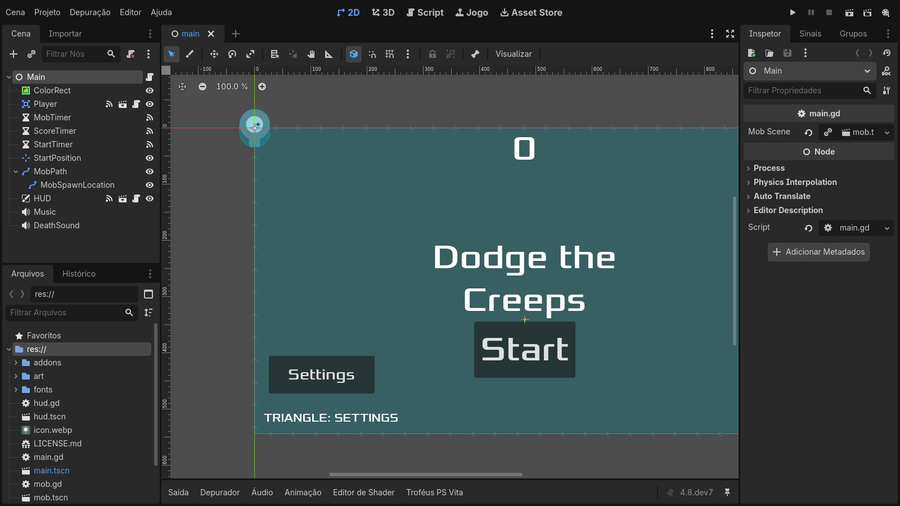
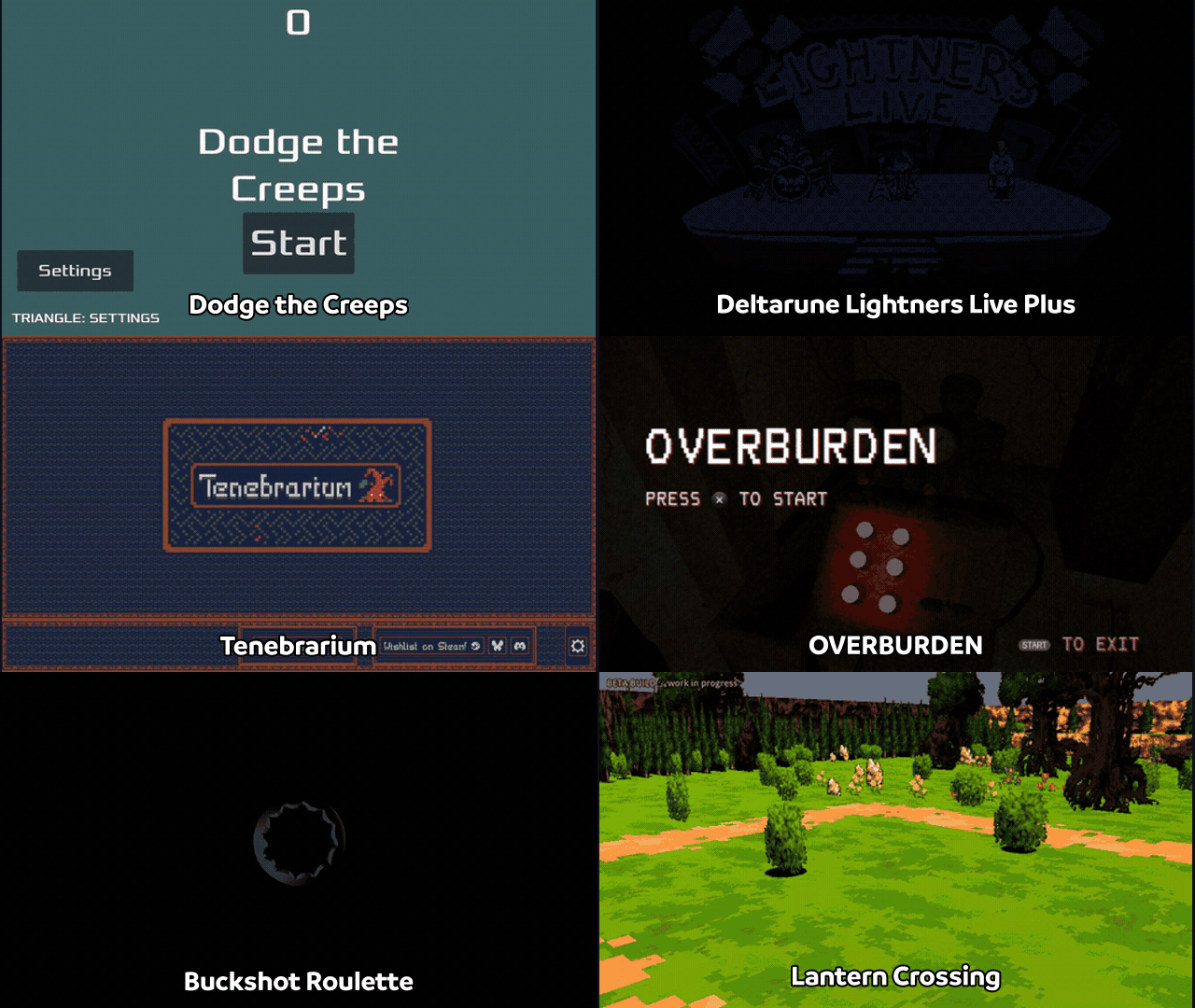
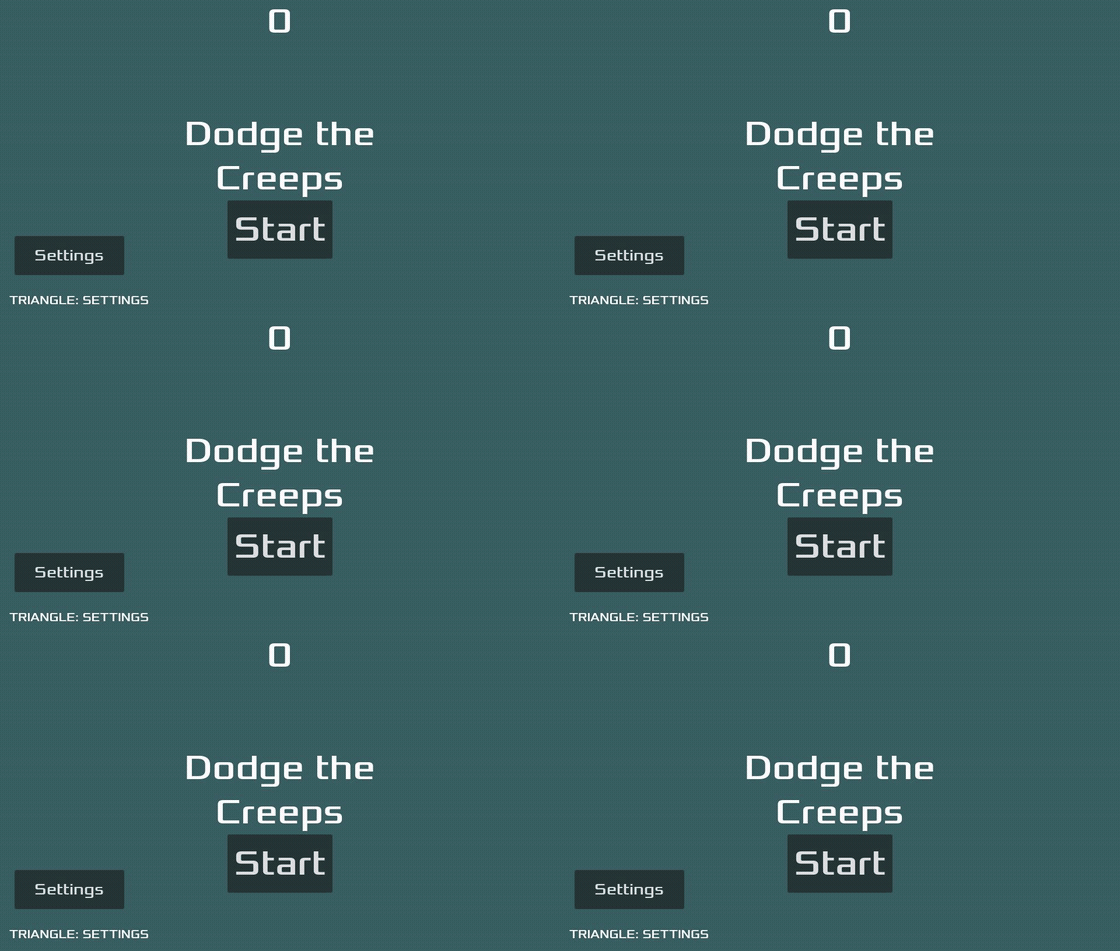
Dodge the Creeps (2D, the engine's first test game)
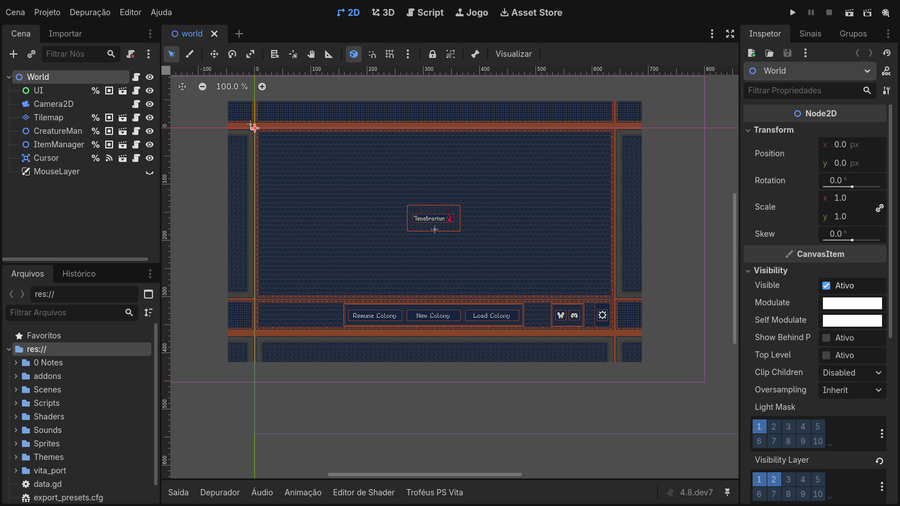
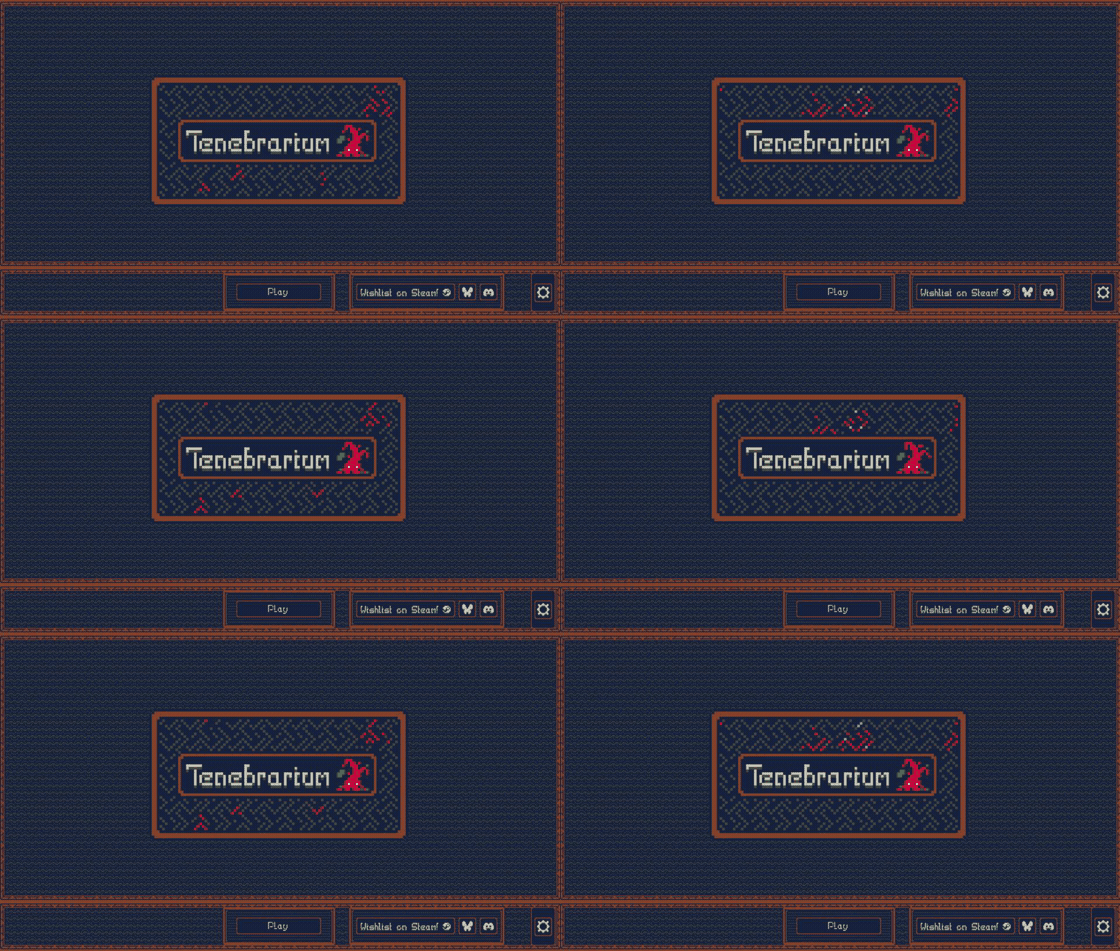
Tenebrarium (2D, native GXM canvas with NinePatch and polygons)
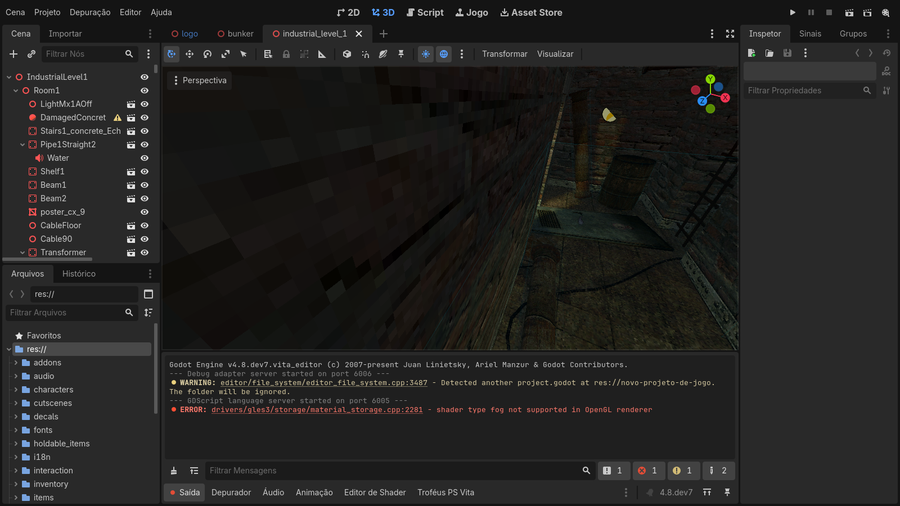
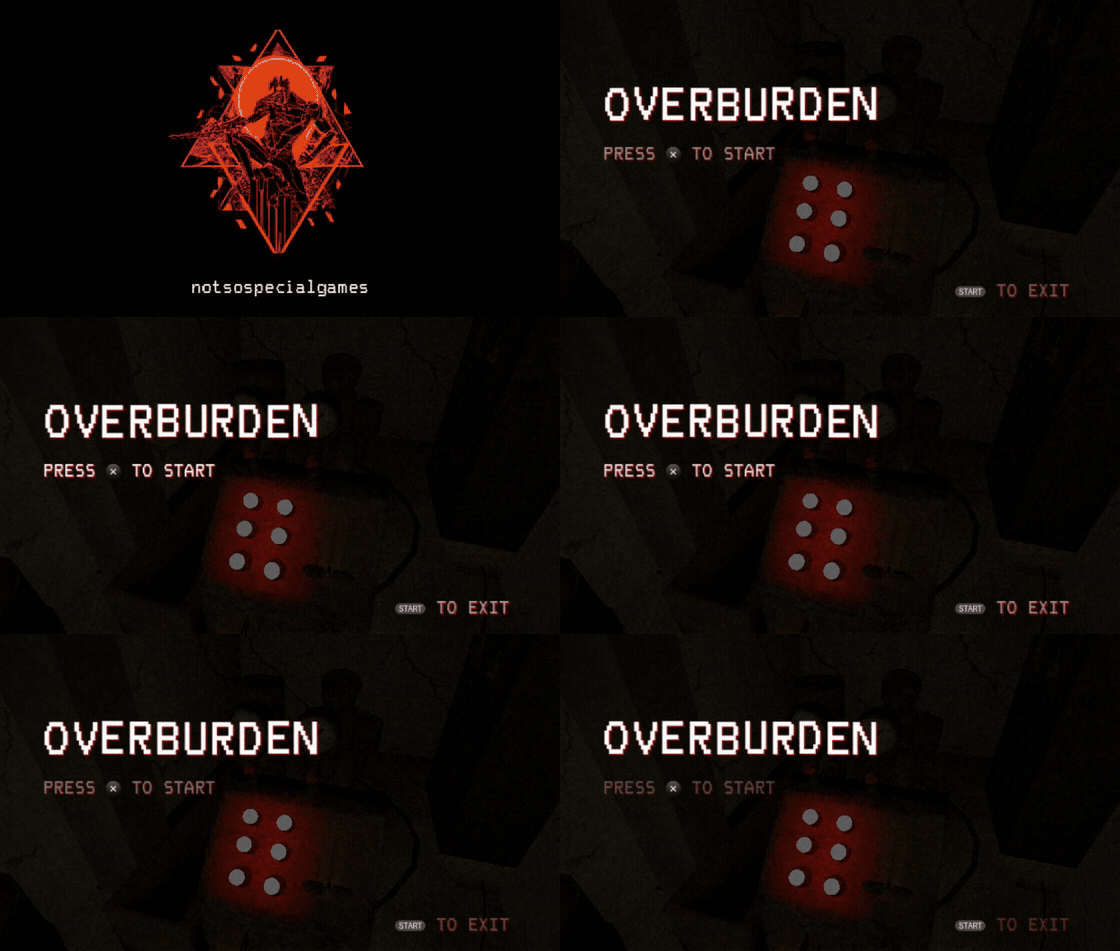
OVERBURDEN (first 3D port, experimental GXM 3D)

examples/vita_export contains a minimal project, the Exemplo.vpk exported from it and its ux0:data/exemplovita data folder. Use it as a reference for the expected VPK and data layout, or install it to check that a Vita is ready for this runtime.

The LiveArea is the Vita home screen page of a game. Its layout is defined by sce_sys/livearea/contents/template.xml. The export preset exposes the LiveArea > Style list (a1–a5 for games, plus the other system layouts for reference) and Show template previews, a horizontally scrolling strip with a picture of each layout, so the right template.xml can be chosen without guessing.
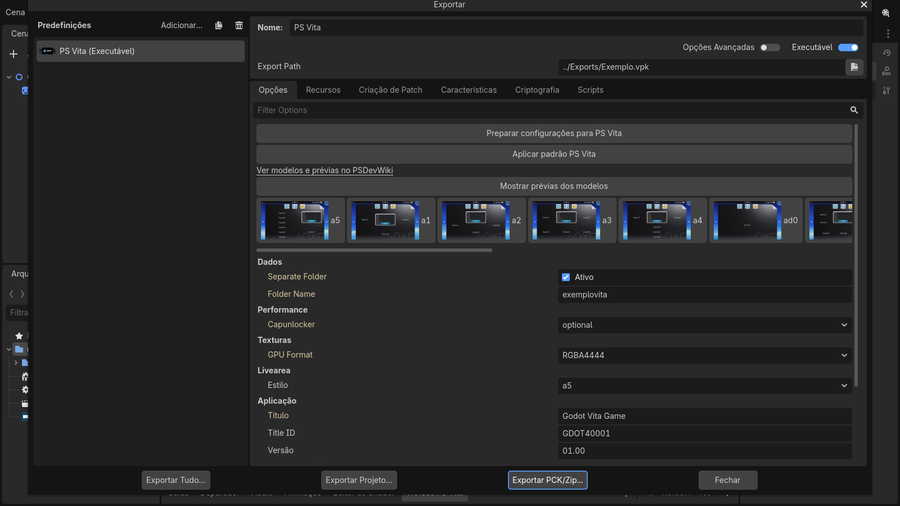
- The exporter writes a
template.xmlmatching the selected style, with the background and startup images, and validates that game styles are used for games. - Previews come from PSDevWiki (GFDL 1.2, see
previews/ATTRIBUTION.md) and are shipped with the editor. - Icon, background and startup images must be 8-bit indexed PNG (palette PNG, not RGB/RGBA) with exactly the sizes of the default files:
icon0.png128 × 128,bg0.png840 × 500 andstartup.png280 × 158. Use the bundled defaults invita/defaults/as the format reference; the exporter rejects images that do not match.

Every game exported with this engine opens with the same native loading animation. After the LiveArea pic0, the Vita loader shows this 960 × 544 animation while libgodot.so is being loaded and relocated, before the engine itself exists. It replaces the black screen that used to last several seconds.

How it works:
- The animation is adapted from Godot's official
custom_splash_screendemo (MIT). It was rendered offline into a DVAN sequence: 180 PNG frames, 30 FPS, six seconds (platform/vita/loader/boot_assets/custom_splash_960x544.dat, packaged asapp0:boot_anim.dat). - The loader does not run GDScript or Godot resources at that point, so the animation is drawn by plain C code straight to a CPU framebuffer with
sceDisplaySetFrameBuf, withoutvita2d_init. - Two decoder threads (cores 1 and 2) decode PNG frames into a ring of four CDRAM buffers, while core 0 keeps loading the engine. A presenter shows frames strictly in order at up to 30 FPS (one decoder used to reach only ~15–20 FPS).
- The first cycle always completes. When the engine is ready, the display is blanked, the buffers are released and Godot's GXM renderer takes over.
- Godot's own project boot splash (
application/boot_splash) is then drawn by the GXM renderer while scripts and the main scene load, instead of a black screen. - The canonical animation is part of the export template; game-specific animations are refused by the template builder. Diagnostic builds can disable it with
-DVITA_BOOT_ANIMATION:FILEPATH=OFF.

A PS Vita Trophies tab is added to the editor's bottom panel. It builds a real trophy package for the VPK.
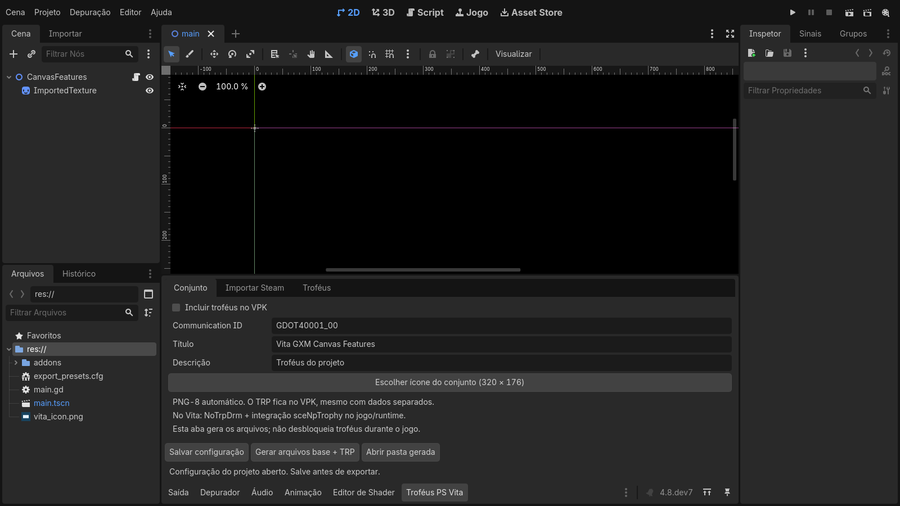
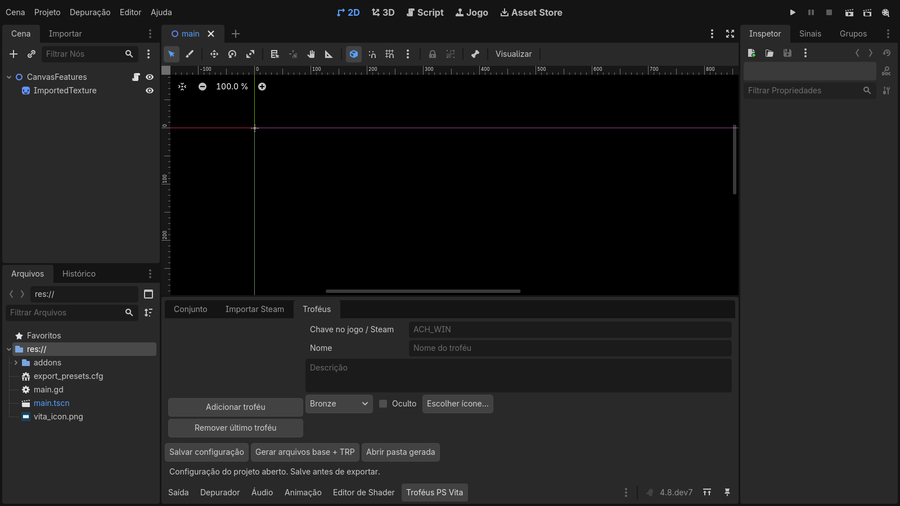
- Set: enables trophies in the VPK and sets the title, description and Communication ID (defaults to the Title ID +
_00). - Import Steam: imports a game's achievements from the Steam Web API (
GetSchemaForGame/v2) with a user key, or from a saved JSON response. Names, descriptions, hidden flags and icons are imported; re-importing keeps existing IDs and edits. The key is only kept for the session. - Trophies: edit each trophy's key, name, description, grade (Bronze/Silver/Gold/Platinum), visibility and icon, or add trophies manually.
Generate base files + TRP writes vita_trophies/ in the project (TROPCONF.SFM, TROP.SFM, 8-bit PNG icons at 320 × 176 and 240 × 240, an achievement-to-trophy map) and a TRP v2 container (64-byte big-endian entries, 16-byte aligned data, SHA-1). The exporter regenerates the TRP and places it at sce_sys/trophy/<COMMUNICATION_ID>/TROPHY.TRP in both data modes. Packages are unsigned and intended for NoTrpDrm.
[!NOTE] Status: the editor panel, Steam schema import, PNG-8 conversion, TRP generation and VPK packaging are implemented and tested on Windows. The runtime unlock bridge (
sceNpTrophy) is not implemented yet, so games cannot unlock trophies in this release.

eboot.bin (loader, C)                      libgodot.so (Godot 4.8-dev7, C++)
├─ boot animation (2 decoder threads)      ├─ OS_Vita / DisplayServerVita
├─ ELF loader + relocations (so_util)      ├─ RasterizerGXMVita (2D canvas, 3D scene)
├─ default_dynlib: SDK import table        ├─ AudioDriverVita (SceAudio)
├─ GXM bridge (vita2d + GXM programs)  ◄───┤ JoypadVita + front touch
├─ CapUnlocker probe / logs                └─ godot_vita.cpp entry: data folder + game.pck
└─ game_data/  or  ux0:data/<folder>/
- Why a shared library: the engine is built once as a PIC
libgodot.sowith unresolved SDK imports. The loader resolves those imports from its own table (default_dynlib.c), applies relocations and jumps into Godot. This avoids linking the whole engine into one huge eboot and lets the same runtime be reused by every game. - Memory: the package requests the extended application budget (
ATTRIBUTE2=12, about 365 MiB of user memory), a large newlib heap for Godot, and leaves CDRAM to the GPU. Free memory is logged periodically ([vita-memory]). - Clocks: CPU 444 MHz, bus 222 MHz, GPU 222 MHz.
- Stability: a
WorkerThreadPoolout-of-range crash, decoded from a real Vita coredump, was fixed; projects use two worker threads. A PSP2 coredump analyzer is inplatform/vita/tools/analyze_psp2_core.py.

Godot's Compatibility renderer relies on GLES3 shaders that the Vita's shader compiler cannot handle reliably. Instead, rasterizer_gxm_vita.cpp + gxm_canvas_vita.inc translate Godot CanvasItem commands directly into GXM draws through a pinned libvita2d context. No GLES shaders are used for 2D.
Implemented and validated in real games:
- Rectangles, sprites, atlas/texture regions, flips, transposes, transforms, modulation and tinting, clipping (
clip_children,clip_ignore). - NinePatch (StyleBoxTexture panels), polygons (StyleBoxFlat,
draw_circle,draw_polyline), primitives and lines, tiled rectangles. - Bitmap/atlas fonts and the bundled default font (Lato).
- SubViewport render targets: an offscreen GXM scene is rendered before the main scene and used as a texture (used for Tenebrarium's magnifier).
- Draw batching: consecutive quads that share texture, filter and tint are merged into one draw; redundant clip changes are skipped. Per-frame statistics are logged as
[gxm2d-perf]. - A 4 MiB vertex pool (the vita2d default of 1 MiB silently dropped draws in tile-heavy scenes).
- CPU/GPU overlap: the CPU builds the next frame (scripts, physics) while the GPU renders the current one; vertices and retired textures are released only when that frame is done.
- Textures uploaded as RGBA4444 or RGBA8888 (see export options), with a 64 MiB texture budget.
- Viewport scaling to 960 × 544, optional aspect preservation (
rendering/vita/keep_aspect) and project boot-splash display.
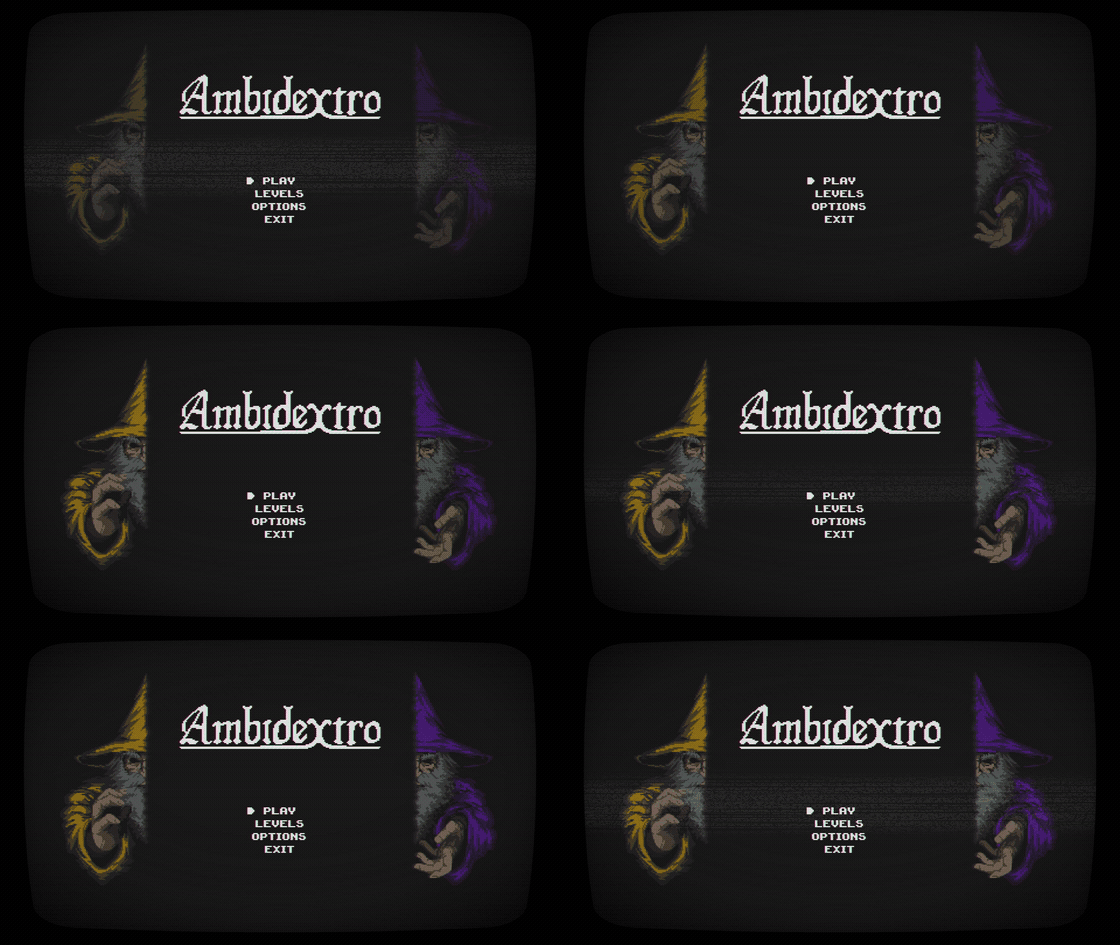
Validated on hardware with Dodge the Creeps, Ambidextro, Deltarune Lightners Live Plus and Tenebrarium.

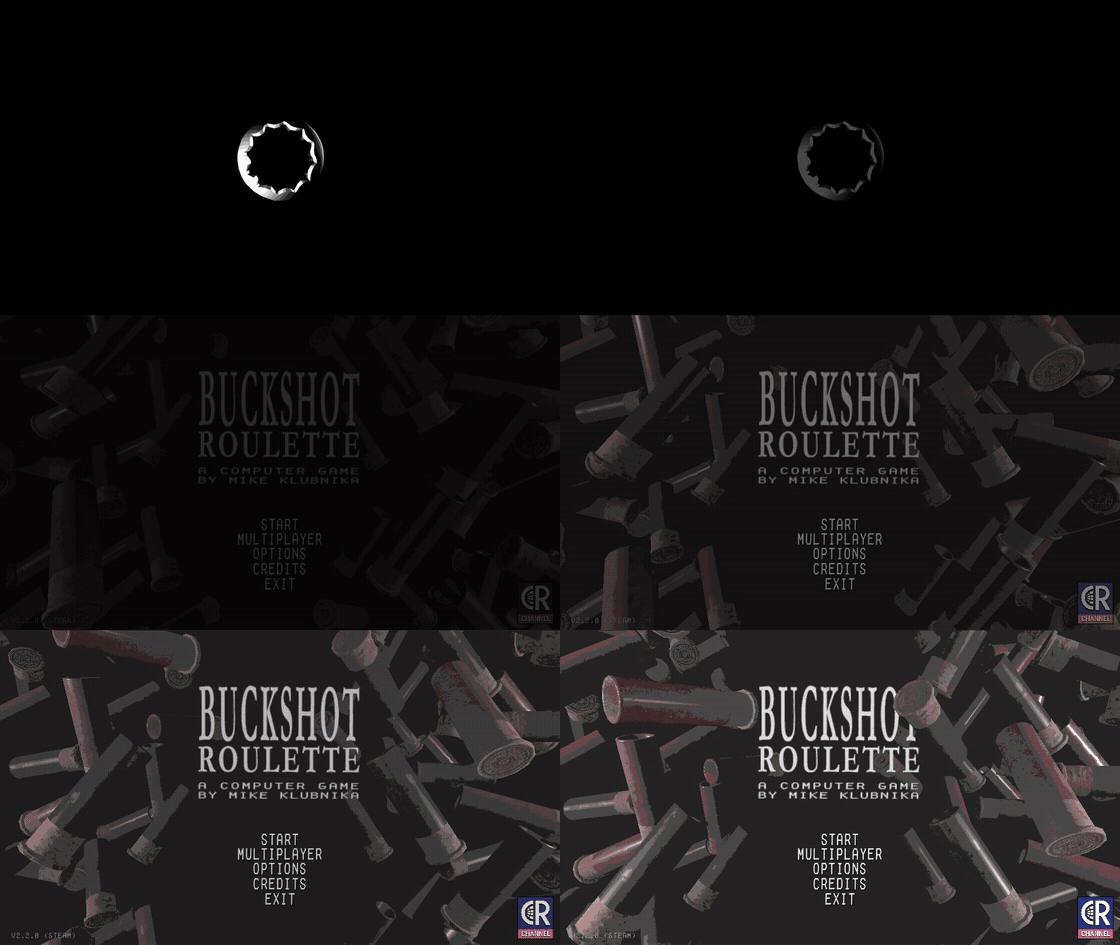
rasterizer_scene_gxm_vita.inc (built into libgodot_gxm3d.so, enabled at run time by gxm3d.cfg) draws Godot MeshInstance3D scenes with GXM, sharing the 2D canvas for UI. It is used by the Overburden port and by the Buckshot Roulette validation.
- Static and skinned meshes (CPU skinning), textured materials with alpha, a mesh arena in GPU memory, depth testing.
- Per-vertex lighting in a second multiplicative pass, light flares, additive blending, decals without depth writes.
- Distance and screen-size culling with hysteresis (
gxm_camera_lod.h), a configurable triangle budget and distance darkening. - Tuning through project settings:
rendering/vita/triangle_budget,vertex_lighting,per_object_lighting,light_floor,light_flares,distance_darkening,shadow_rays,brightness.
Not available yet: real-time shadow maps, fog, screen-space effects, custom spatial shaders and post-processing.

- Audio: Godot's AudioServer mixes as usual; the Vita driver sends PCM16 to SceAudio. The default
audio/vita/output_mode="godot3"reproduces the layout of the Godot 3 Vita driver that plays without distortion on hardware (BGM port, project mix rate, 512-frame blocks).main48keeps the earlier 48 kHz / 2048-frame layout. See AUDIO_BACKEND.md. - Input: D-pad, both analog sticks, face buttons, shoulders, START/SELECT as Godot joypad 0, plus front touch screen events.
- Data loading: the runtime reads
app0:game_data_folder.cfgto findux0:data/<folder>/game_data. If agame.pckis present it is mounted with--main-pack; every loose file onux0:costs a directory lookup (about 150 ms measured per resource), so one pack loads much faster. Logs are written toux0:data/<folder>/logs/.

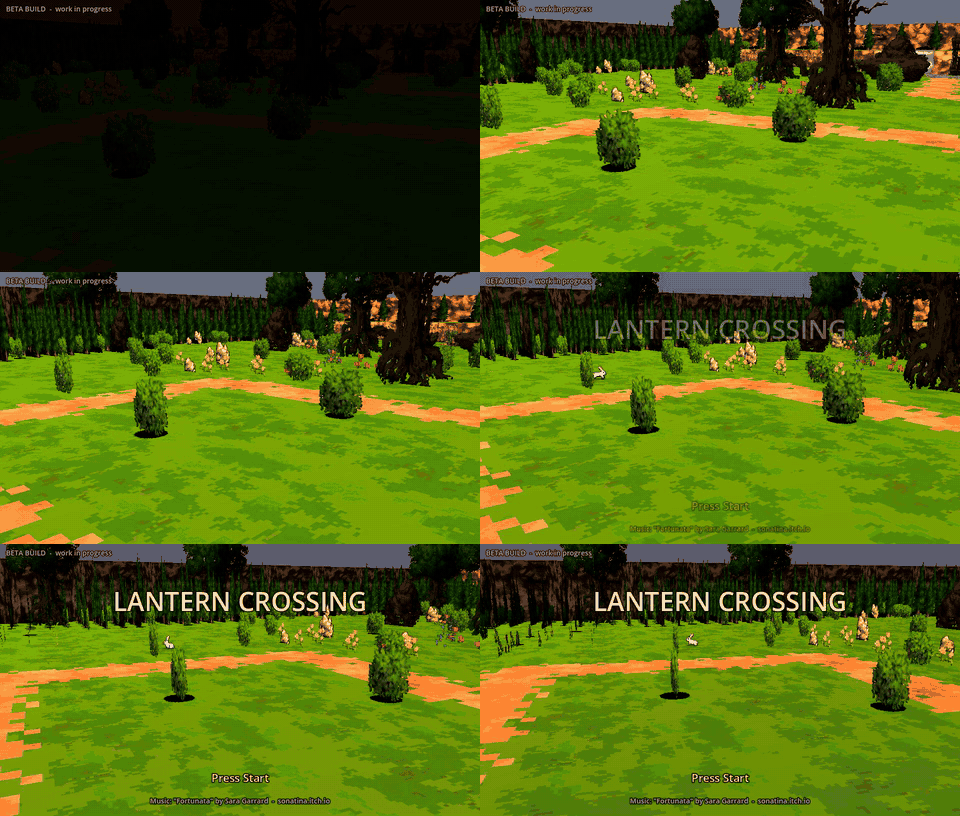
The clips below were recorded directly from the local Godot project builds. They show the projects running on the desktop editor/runtime, not Vita emulation; hardware status is described under each game.
View games and gameplay previews










- Download
Godot4Vita-v0.2-Windows-x64.zipfrom the latest release and extract the whole folder. Keepvita/next toGodot4Vita.exe. - Open or create a project. In Project > Export > Add… choose PS Vita and click Prepare settings for PS Vita.
- Set the title, a unique 9-character Title ID and the version, choose the LiveArea style and the data folder name.
- Click Export Project and save the
.vpk. - On the Vita (HENkaku/Ensō with kubridge installed), install the VPK with VitaShell and copy the generated data folder to
ux0:data/.
The PS Vita export and trophy panels are currently labelled in Portuguese (for example Preparar configurações para PS Vita, Mostrar prévias dos modelos, Troféus PS Vita). The Exemplo/ project in the release is a ready-to-export example. Detailed Portuguese guides are included: LEIA-ME.md, TROFEUS.md, RGBA4444.md.

- Canvas 2D is a subset: CanvasItem shaders/materials, CanvasGroup effects, GPU particles and some text modes are not rendered (unsupported materials fall back to unshaded drawing).
- 3D is experimental (see above); performance and memory must be checked per game.
- No C#, GDExtension or remote debugging on the Vita. Scripts are exported as text.
- The runtime is pinned to Godot 4.8-dev7; projects from other 4.x versions usually open after conversion, but the template is not interchangeable with other engine builds.
- Trophies are packaged but not unlocked at run time yet.
- The Windows editor uses the desktop Compatibility renderer; what you see on the PC is not a Vita emulator.

Requirements: Linux/WSL, VitaSDK, Python 3, SCons, CMake, the patched VitaGL build described in platform/vita/vitagl, and MinGW-w64 (POSIX threads) for the Windows editor.
Runtime, loader and export template (WSL):
export VITASDK=/usr/local/vitasdk
platform/vita/tools/build_release_template.sh /path/to/vitagl /path/to/output
# -> libgodot.so, loader/godot_loader.vpk, vita_release.zip
Windows editor (WSL with MinGW), then assemble the portable folder (Windows Python):
platform/vita/tools/build_windows_editor.sh
python platform/vita/tools/package_windows_editor.py
python platform/vita/tools/archive_windows_editor.py
See BUILDING.md, INTEGRATED_WINDOWS.md and GXM_BACKEND.md.

| Path | Purpose |
|---|---|
platform/vita/ |
Vita OS, display, input, audio and file access |
platform/vita/rasterizer_gxm_vita.cpp, gxm_canvas_vita.inc |
Native GXM 2D renderer |
platform/vita/rasterizer_scene_gxm_vita.inc, godot_vita_gxm3d.cpp |
Experimental GXM 3D renderer and its entry point |
platform/vita/loader/ |
Loader, ELF relocation, SDK import table, GXM bridge, boot animation |
platform/vita/editor/addons/psvita/ |
Export platform, LiveArea previews, trophy tools (GDScript) |
modules/vita_editor/ |
Native editor plugin that registers PS Vita in the Windows editor |
platform/vita/tools/ |
Build, packaging, template, validation and coredump tools |
platform/vita/tests/ |
ColorRect, canvas, 3D mesh and Dodge the Creeps test projects |

People who have contributed code and project improvements to Godot4Vita.
[image: Godot4Vita contributors]
View all contributors


- Godot Engine for upstream engine (README.godot.md); loading animation adapted from the official
custom_splash_screendemo. - VitaSDK, VitaGL, libvita2d, kuBridge, NoTrpDrm.
- SonicMastr/godot-vita for Godot 3.x Vita port reference.
- LiveArea layout previews: PSDevWiki (GFDL 1.2).
Godot engine code and port additions are provided under the MIT license; third-party components retain their respective licenses.